
Yes, if your account is a member of the project. SIINC backs up the projects your account is a member of, subject to your permissions.
Keep the building's project record for the life of the asset.
SIINC lets owners, developers and asset managers keep the Procore, Autodesk Forma and BIM 360, and Oracle Aconex record of a project in their own AWS or Azure account after handover. The project ends at practical completion. The building does not, and defects, maintenance, refurbishment and sale all go back to the drawings, specifications, RFIs and approvals made during the build.
- Team
- Owners and developers
- Platforms
- Procore, Autodesk, Aconex
- Use cases
- Project closeout, Claims and disputes, Records retention, Hub migration
- Backups stored in
- Amazon S3 or Azure Blob Storage, in your account
What owners and developers answer for after handover
- The record of what was built, kept for the life of the asset.
- Defect and warranty claims against builders and consultants.
- Handover information that operations and future project teams can find.
- Not paying for platform licences on closed projects just to keep the record.
- Moving projects between Autodesk hubs when assets are bought, sold or consolidated.
Questions owners and developers get asked about the building's project record
- How do we keep construction records after handover without paying for the platform?
- Hold them in your own storage instead. SIINC keeps the record in an S3 bucket or Azure Blob container you govern, so you are not paying for platform access to old projects, and the portals open it without a platform login.
- What happens to our Aconex project when it closes?
- Oracle closes the project in not less than 30 days, after which every organisation loses access unless it bought an archive. A SIINC backup taken while the project was live stays in your storage.
- How do we find the drawings and specifications for a defect years later?
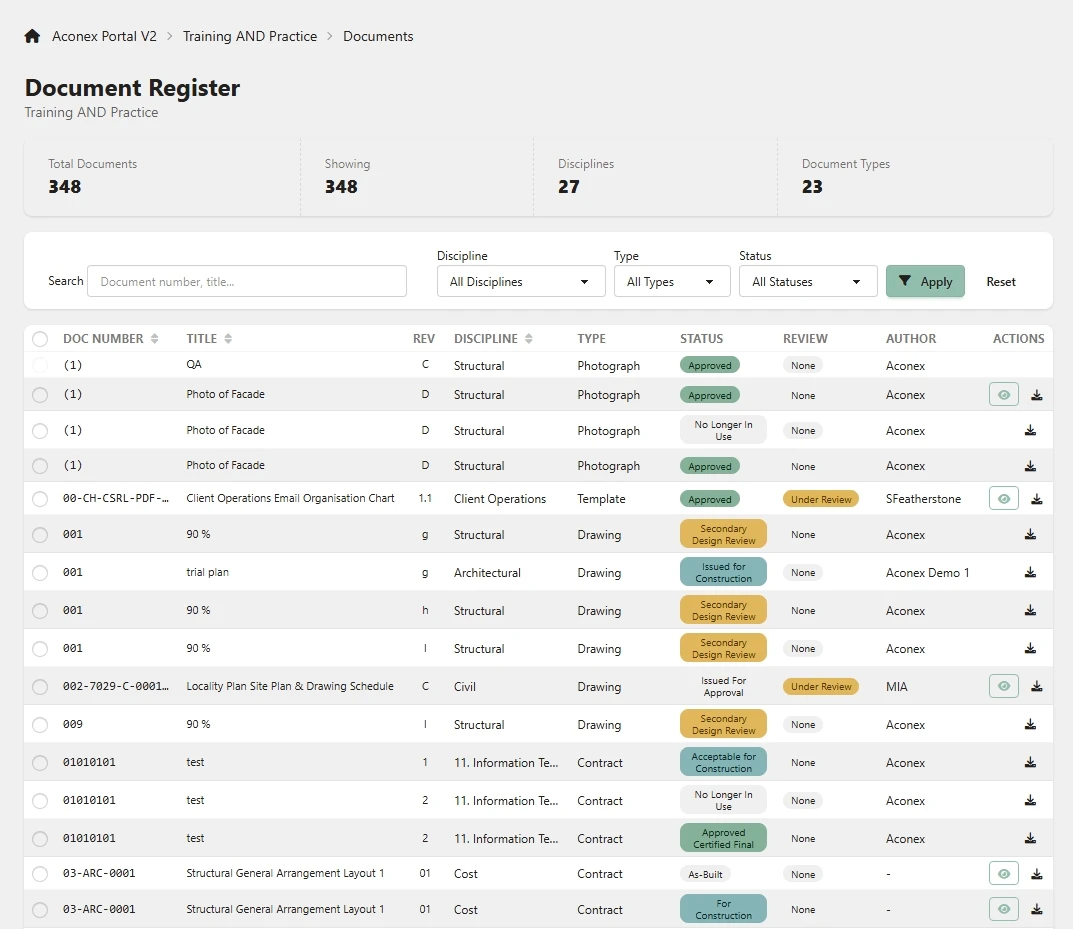
- Search the backed-up project in the SIINC portal. Browse the folder tree, preview the file, then download it, its earlier versions, or a ZIP of the folder.
- How long can we pursue a builder or consultant for defects?
- Often for years after completion, depending on where the building is. Limitation periods vary by jurisdiction, contract and type of claim, so ask your lawyer how long you have. This is general information, not legal advice.
- Can we hand a BIM 360 or Autodesk Forma project to a buyer's hub?
- Yes, with the SIINC Migration Tool. It copies a BIM 360 or Autodesk Forma project and 24 of its modules into another company's hub, with every file version and the links between records rewired to the new IDs.
Where owners and developers look next
- Use caseProject closeoutKeep the full project record after closeout, when platform access ends within about 30 days.
- Use caseClaims and disputesThe daily logs, RFIs, mail and change orders behind variations, EOTs and defect claims, kept after access ends.
- Use caseRecords retentionKeep project records for as long as liability runs, without paying for old platform licences.
- Use caseHub migrationMove an Autodesk Forma or BIM 360 project to another hub with every file version, its issues, RFIs and 24 modules.
- PlatformProcoreKeep every Procore project after closeout, in storage your company owns.
- PlatformAutodesk Forma and BIM 360Autodesk Forma and BIM 360 backup, outside Autodesk, in storage your company owns.
- PlatformOracle AconexKeep Oracle Aconex mail and documents after the project closes, in storage you own.
- StorageAmazon S3Back up Procore, Autodesk Forma and Aconex projects to Amazon S3 in your own AWS account.
- StorageAzure Blob StorageBack up Procore, Autodesk Forma and Aconex projects to Azure Blob Storage in your own subscription.
Owner and developer project record questions
Owner and developer project record questions
No. The SIINC portals read straight from your own storage.
Asset and location records, alongside files and models. Assets, Locations, Files and models, and Custom attributes are all Autodesk modules you can back up.
Yes. Every backup stays in your bucket as the original files plus JSON metadata, in a documented folder structure.
Coming soon. Portal access to closed projects after backups stop is planned. Until then, the backups stay in your own bucket, where your team can read them with standard AWS or Azure tools.
Start a trial workspace or book a demo and we will run the first backup with you.