
No. Your team keeps working in Procore, Autodesk Forma or Aconex, and SIINC keeps an independent, scheduled copy of the record in your own storage.
Find the revision that was current, years after handover.
SIINC gives document controllers a scheduled copy of every document version, transmittal and mail item from Procore, Autodesk Forma and BIM 360, and Oracle Aconex, held in their company's own storage. You keep the register straight while the job runs, and you answer for it long after the project team has moved on. The SIINC portals find a record again without a platform login.
- Role
- Document controllers
- Platforms
- Procore, Autodesk, Aconex
- Use cases
- Project closeout, Records retention, Deletion and recovery
- Backups stored in
- Amazon S3 or Azure Blob Storage, in your account
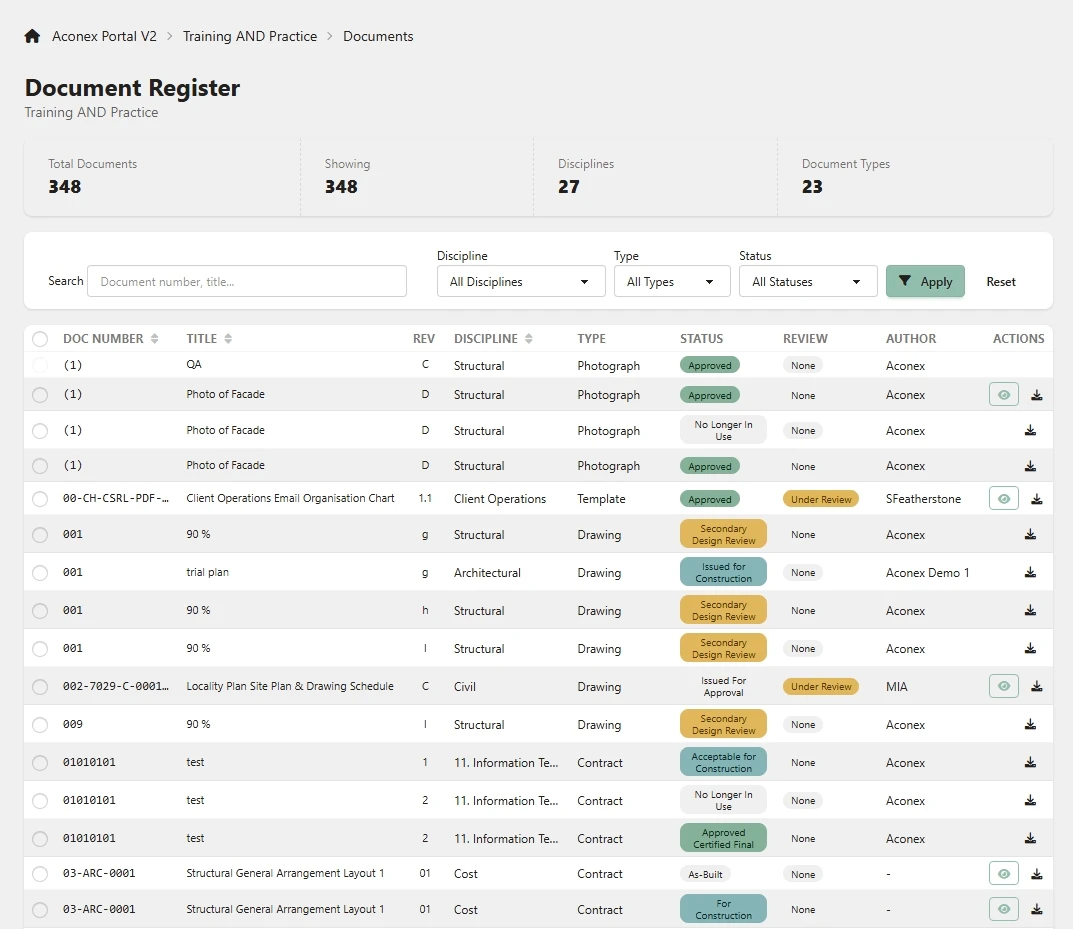
What document controllers answer for after handover
- A register that matches what was actually issued, revision by revision.
- Transmittals and mail that show who received what, and when.
- A complete closeout handover, not whatever was exported in the last week.
- Producing a document years later, when nobody remembers where it was kept.
Questions document controllers get asked about closed projects
- How do we find a drawing as it was issued, after it has been superseded?
- Open it in the SIINC portal, because document revisions are captured (for Procore, up to the 20 most recent revisions of each document). Register metadata such as revision, status and the superseded flag is kept with each document, so the revision that was current at the time sits next to the one that superseded it. Search by project, module, record or that metadata, then download the file.
- How do we find who sent a document and what the cover mail said?
- Search the backed-up mail and transmittals in the portal. Aconex mail is backed up with its related items, so correspondence reads in context, and Procore correspondence and emails and Autodesk transmittals and reviews are selectable modules too.
- How do we make sure the closeout package is complete?
- Back the project up on a schedule instead of exporting it by hand at the end. Hand exports miss modules, versions and the links between records, while a scheduled backup captures the selected modules run after run over the life of the job.
- Can we get back a folder someone deleted?
- Yes, because Sync runs keep deletions for the term of your plan unless you choose to mirror them. The deleted files stay in your storage, ready to restore into the platform or download as a file, a folder or a ZIP.
- How does the team open project records after the platform licence ends?
- Through the SIINC portals, which read straight from your bucket. The Procore Workbench, Autodesk Portal and Aconex Portal need no platform login.
Where document control look next
- Use caseProject closeoutKeep the full project record after closeout, when platform access ends within about 30 days.
- Use caseRecords retentionKeep project records for as long as liability runs, without paying for old platform licences.
- Use caseDeletion and recoveryGet back a deleted or overwritten file or record, after the recycle bin and after access ends.
- PlatformProcoreKeep every Procore project after closeout, in storage your company owns.
- PlatformAutodesk Forma and BIM 360Autodesk Forma and BIM 360 backup, outside Autodesk, in storage your company owns.
- PlatformOracle AconexKeep Oracle Aconex mail and documents after the project closes, in storage you own.
Document control backup questions
Document control backup questions
Select it in the portal and download a ZIP. The portals download a single file, a folder or a ZIP of the lot, and the Aconex Portal builds bulk ZIPs in the background.
Yes. When you run a restore, SIINC writes the document back into Procore, Autodesk or Aconex, into the same account or a different one. You can also download it from the portal. Backups themselves only read from the platform.
Yes. Register metadata such as revision, status and the superseded flag is kept with each document, and the SIINC portals can search on it.
Yes. SIINC backs up the Aconex projects your account can see, including projects owned by another organisation. An admin of the account that owns the project approves the SIINC connection.
Start a trial workspace or book a demo and we will run the first backup with you.