
Yes. The client audit log can be exported for auditors and insurers.
The answer is ready when an auditor asks how project data is protected.
SIINC records every backup run of your Procore, Autodesk Forma, BIM 360 and Oracle Aconex projects, with an exportable client audit log and scheduled reports. When an auditor, insurer or tender asks how project records are kept, you can show them.
- Platforms
- Procore, Autodesk Forma and BIM 360, Oracle Aconex
- Reads from
- Your Amazon S3 or Azure Blob Storage backup
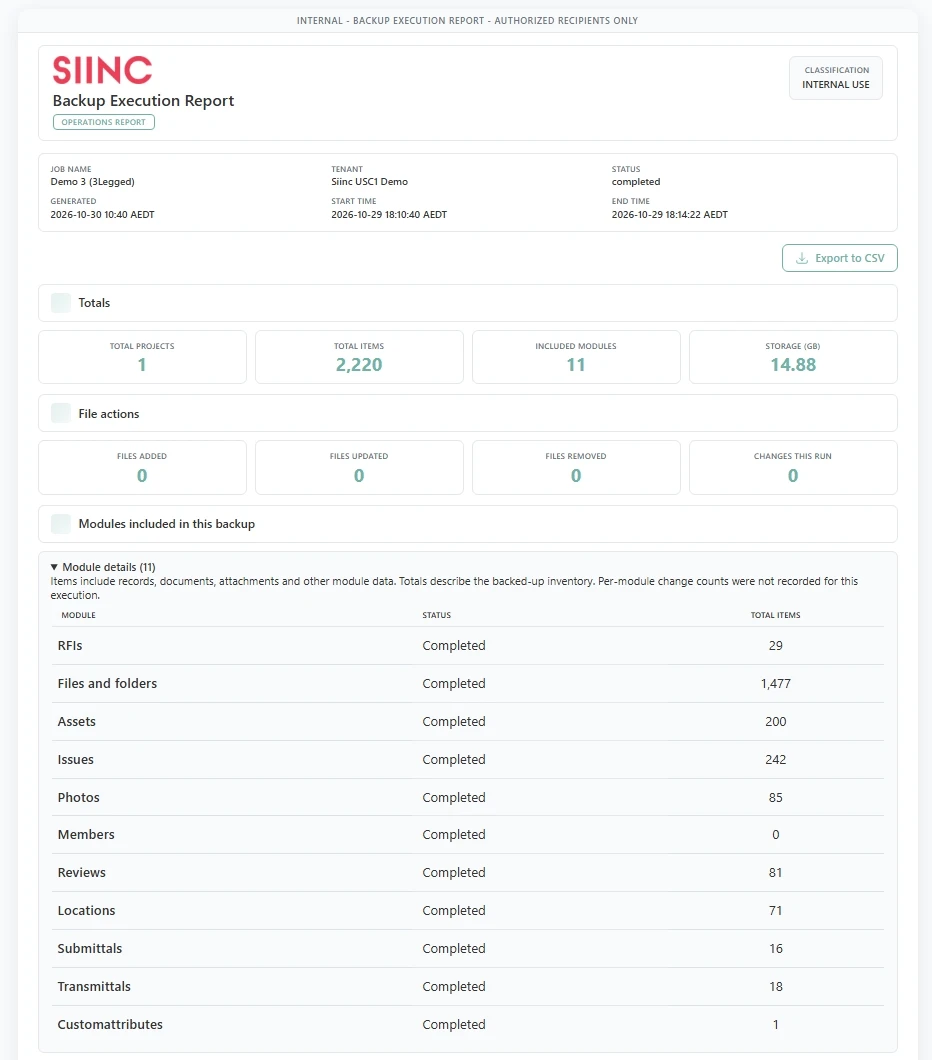
Execution history
Every run is recorded with its scope, size, warnings and errors. A checksum is recorded for every file SIINC captures, and the run history is tamper-evident.
- Scope, size, warnings and errors for every run
- A checksum recorded for every captured file
- A tamper-evident run history
Audit log
An exportable client audit log records every user and admin action in your SIINC workspace, and is kept for 12 months. It shows what was backed up and who accessed it.
Reports
Private, shared and system report templates, on demand or scheduled, in PDF, Excel, CSV or HTML.
SIINC run history and audit log questions
SIINC run history and audit log questions
Every user and admin action in your SIINC workspace. Entries are kept for 12 months.
Yes. SIINC records a checksum for every file it captures, so a copy can be checked against it, and the run history is tamper-evident.
PDF, Excel, CSV or HTML, run on demand or on a schedule.
More of how SIINC works
Start a trial workspace or book a demo and we will run the first backup with you.