
No. SIINC connects through each platform's official API and writes into your own cloud storage. There are no agents to install, nothing runs on your network, and setup takes under 30 minutes.
Connect once. Every project backed up on a schedule, into storage you own.
SIINC is a scheduled backup for Procore, Autodesk Forma and BIM 360, and Oracle Aconex. It reads through each platform's official API, writes into Amazon S3 or Azure Blob Storage in your own account, gives you a portal to find any record again, and restores records back into the platform when you need them.
Connect through the official API
A platform admin approves the SIINC connection through the official API. Backups only read, and SIINC writes into the platform only when you run a restore. There are no agents to install, nothing runs on your network, and setup takes under 30 minutes.
How access worksChoose what to protect
Every module is a checkbox. Back up the record your contracts depend on and leave out what you do not need, such as point clouds or photos.
Modules by platformRun on a schedule
Backups run hourly as standard, or every 4 hours or daily. The first run is a Full backup of every record and file version in the selected modules, and for a mid-sized project it completes the same day. After that, Sync runs copy only what changed, and deletions are kept for the term of your plan.
Scheduling and syncLand in your bucket
SIINC writes into Amazon S3 or Azure Blob in your own account. What lands there is the original files plus JSON metadata, encrypted, in a documented folder structure, so the copy is useful even without SIINC.
What lands in your bucketFind any record
The Procore Workbench, Autodesk Portal and Aconex Portal read straight from your bucket. Search a project the way your team remembers it, open the record and download the files or a ZIP of the lot. When a record has to go back, SIINC restores it into Procore, Autodesk or Aconex, including into a different account.
The portals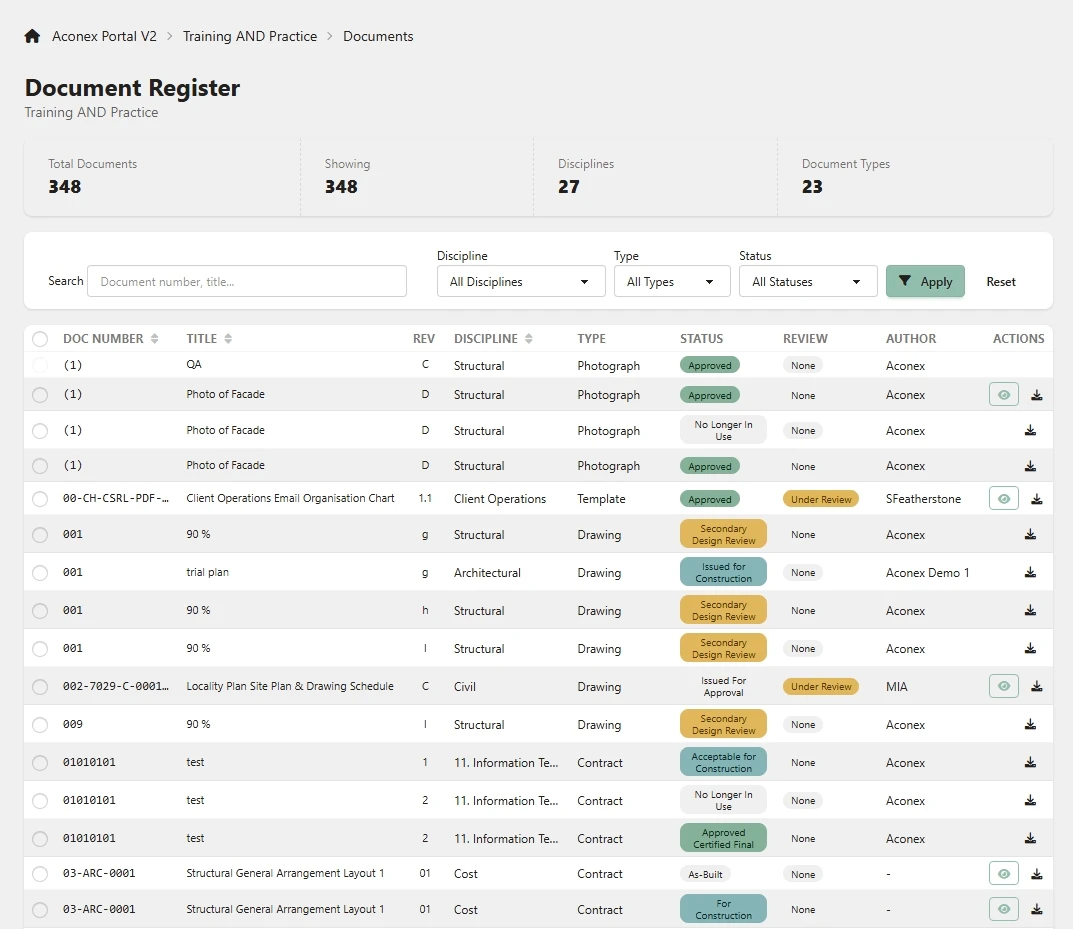
Prove what was captured
Every run is recorded with its scope, size, warnings and errors, a checksum is recorded for every file, and the run history is tamper-evident. Scheduled reports and an exportable audit log of every user and admin action, kept for 12 months, show what was backed up and who accessed it.
Run history and auditMove projects between hubs
The Migration Tool copies BIM 360 and Autodesk Forma projects between hubs and regions, with every file version.
The Migration ToolHow SIINC works: common questions
How SIINC works: common questions
Hourly as standard. The schedule is configurable, so you can run backups hourly, every 4 hours or daily. The first Full backup of a mid-sized project completes the same day, and Sync runs after that copy only what changed.
Not when it backs up. Backups only read. SIINC writes into the platform when you run a restore, which can put records back into the same account or a different one. On Enterprise, the archived-project feature brings archived Autodesk projects into backup scope, when you start it or automatically.
In Amazon S3 or Azure Blob Storage in your own account, in the region you choose. Storage is billed by AWS or Azure at your own rates.
Yes. Records are written as JSON metadata next to the original files, in a documented folder structure, so the copy is useful even without SIINC.
Start a trial workspace or book a demo and we will run the first backup with you.