
The project closes
The subscription lapses or the hub owner archives the job. Drawings, RFIs and correspondence go with it unless you kept a copy.
How teams handle itSIINC backs up Procore, Autodesk Forma, BIM 360 and Oracle Aconex projects as often as every hour into Amazon S3 or Azure Blob Storage you own, so the record outlives the subscription.
Own a copy of every Procore, Autodesk Forma, BIM 360 and Aconex project.
Scheduled backups of every project record into AWS or Azure storage you own, with a portal to get it back.
No agents to install
Set up in under 30 minutes
Backups in your own AWS or Azure account
Built on the official APIs of


The subscription lapses or the hub owner archives the job. Drawings, RFIs and correspondence go with it unless you kept a copy.
How teams handle itVariations and disputes are argued from daily logs, change orders and mail. Your access ended at practical completion.
How teams handle itCollaboration platforms sync mistakes instantly. A scheduled backup keeps the version from before it happened.
How teams handle itWhen a subscription ends or a project closes, access to the record runs out within weeks. The periods you can be held liable for run in years.
Procore
A Project Archive download link expires after 30 days, and only the person who created the archive or a project Directory admin can download it.
Procore supportAutodesk
Access to cloud documents continues for about 30 days after a subscription ends.
Autodesk account helpOracle Aconex
Oracle closes the project in not less than 30 days, after which every organisation loses access unless it bought an archive.
Aconex helpHow long you can be held liable depends on your jurisdiction and your contracts. This is general information, not legal advice.
Construction platforms are built for working on a project, not for archiving it. Their exports are one-off closeout snapshots, and syncing to SharePoint copies deletions and mistakes along with everything else. A backup is an independent, scheduled copy you can go back to.
| Capability | Closeout export | Sync to SharePoint or Box | SIINC |
|---|---|---|---|
| Runs on a schedule | Manual | Yes | Yes |
| RFIs, submittals and mail kept as records | Mostly PDFs | Files only | Yes |
| Keeps what was deleted or overwritten | No | No, it mirrors changes | Yes, for the plan term |
| Still there after access ends | If downloaded in time | Files only | Yes |
| Stored in your own cloud account | A downloads folder | Microsoft or Box | AWS or Azure |
| Restore back into the platform | No | No | Yes, including into another account |
Every module is a checkbox. Back up the record your contracts depend on and leave out what you don't need. Try it.
SIINC writes into Amazon S3 or Azure Blob Storage in your own account. What lands there is ordinary folders, the original files and readable JSON, so the copy is useful even without SIINC.
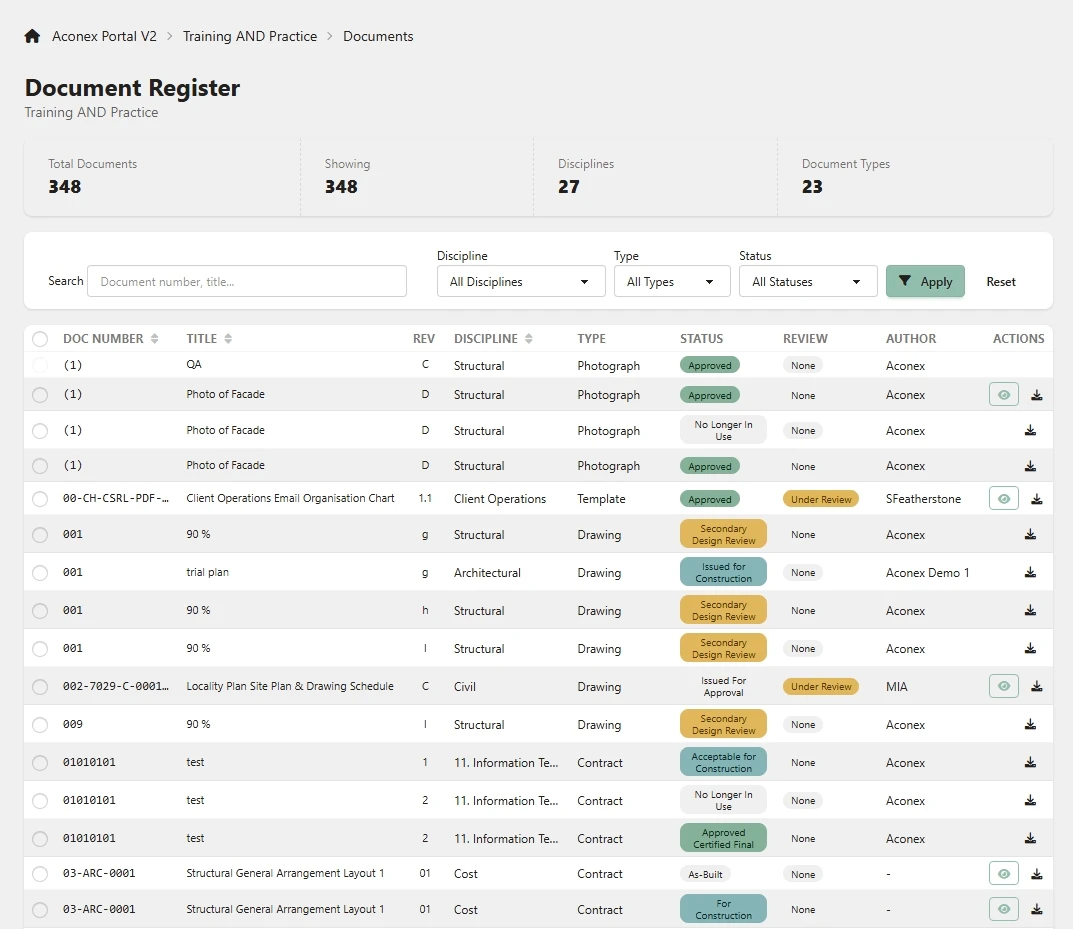
The portals read straight from your bucket. Search a project the way your team remembers it, open the record and download the files or a ZIP of the lot.
An example first run for one Procore company. Nothing to install and nothing on your network.
Execution history, warnings and a client audit log you can export. The answer is ready when an auditor, insurer or tender asks how project data is protected.
How SIINC handles your dataSIINC is billed monthly in USD, and storage stays in your own AWS or Azure account at your own rates. Size your record and talk to sales for a quote.
Record under protection
Procore, Autodesk Forma and BIM 360, and Oracle Aconex.
No. SIINC runs as a hosted service. You authorise the platform, add Amazon S3 or Azure Blob Storage credentials and pick what to back up.
Into an Amazon S3 bucket or Azure Blob Storage container in your own cloud account. You keep the copy if you stop using SIINC.
Two ways. Restore records back into Procore, Autodesk Forma and BIM 360 or Aconex, including into a different account, or find them in the portal for each platform and download a file, a folder or a ZIP.
Yes. We set up a trial workspace with a storage quota so you can run real backups against a live project before you commit.
Start a trial workspace or book a demo and we will run the first backup with you.